
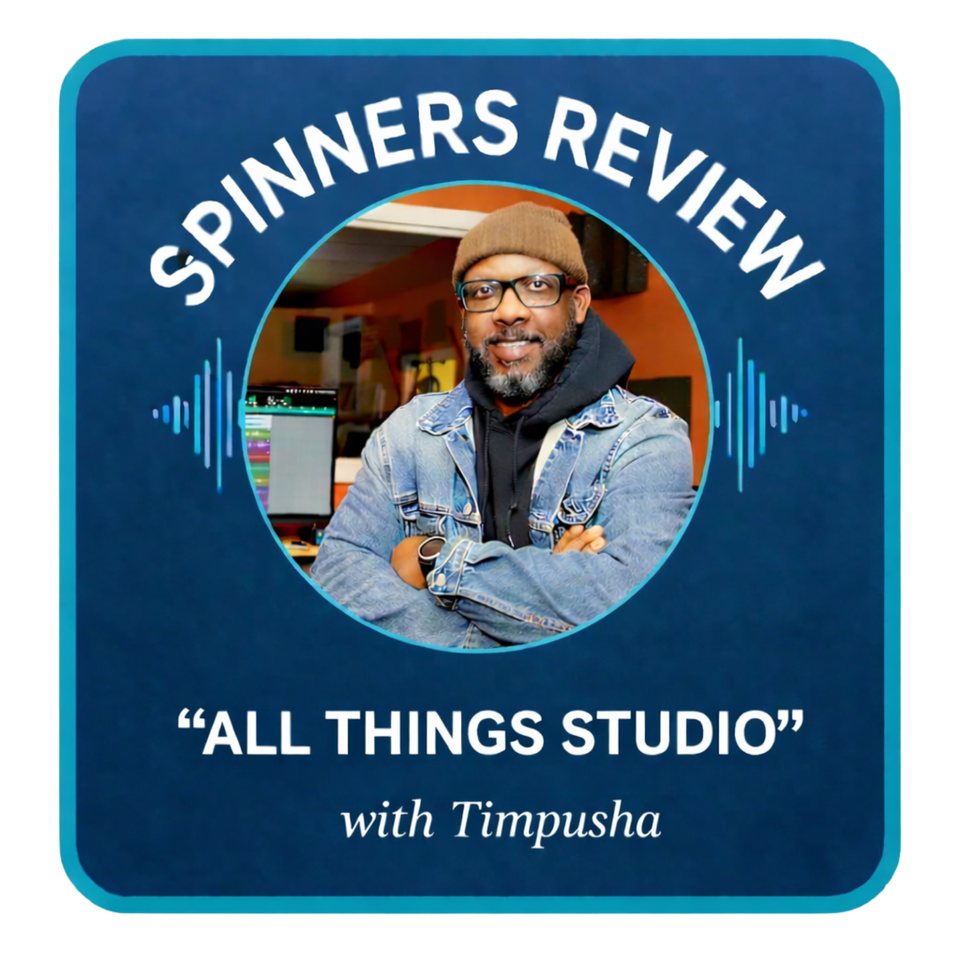
with
Timpusha
All Things Studio With Timpusha
First things first, I'd like to thank Spinners Review for the opportunity to share some of my knowledge and insight into my studio recording process. I'm excited to kick off this monthly column, where I'll be reviewing some of my favorite studio gear while also offering practical insight into recording techniques I've developed throughout my music career.
For those who may not know me, I'm a recording studio owner, engineer, and musician based in the Richmond, VA area. I established my current commercial recording studio in 2009, and since then, I've had the privilege of working with both major and independent artists as a recording engineer and music producer. My production and engineering work has appeared on projects that have charted in the Billboard Top 20, as well as on TV placements, radio commercials, and movie soundtracks.
Over the years, I've developed several different approaches to recording within a Digital Audio Workstation (DAW). My current setup is a hybrid system, combining modern computer software with analog hardware. I primarily use Ableton Live 12 for music creation and Avid Pro Tools for vocal recording, mixing, and mastering. In this column, I want to explain why I use these two platforms together—and why this workflow continues to work best for me.
From Tape to Digital
When I first set up my home studio in the early 2000s, my multitrack recorder was a Tascam Portastudio 488 MKII 8-Track Tape Recorder. Looking back, I really wish I had held onto that machine—not only for the analog tape sound we've all grown to love, but also because it was simply fun to record with. Fast forward to 2026, and these units are now selling in good condition for around $2,000.
My first music creation software was an inexpensive program called Music Production Pro, purchased from what would be the equivalent of a Staples today. Like most software at the time, it was installed via CD-ROM on a Windows 95 PC. While the audio quality—recording through a computer's mini-jack input—was far from today's standards, it marked my first real introduction to digital recording.
Shortly after, I upgraded to Cakewalk Sonar and paired it with an M-Audio audio interface, which was a major step up. Cakewalk later released Project 5, a production-focused program that allowed beat creation using MIDI controllers. Coming from an era where I made beats primarily on the Ensoniq ASR-10, this software-based workflow felt incredibly fast, especially with what seemed like unlimited track counts.
After Project 5 was discontinued, I briefly explored Propellerhead Reason. I loved its workflow and the creative flexibility of the Combinator. However, early versions lacked audio recording and MP3 import, which became a dealbreaker for me. That's when I discovered Ableton Live, and everything finally clicked.
Why Ableton Live Still Works for Me
The short answer is simple: Ableton's combination of MIDI and audio, paired with its workflow and hardware integration, fits how I create music. I've been using Ableton Live since version 3, and today I'm running version 12.3.2.
As a producer who relies heavily on playing keyboards, synths, bass guitar, and working with samples, Ableton's workflow allows me to move quickly without breaking creative momentum. I primarily use Clip View to program drum patterns and Arrangement View for recording and structuring full songs.
In 2013, I purchased the first version of the Ableton Push, which dramatically improved my workflow—despite its less-than-stellar build quality. I still remember the unit separating at the bottom, held together with electrical tape. In 2015, Ableton released the Push 2 and offered a generous buy-back program that allowed users to trade in their Push 1 units in any condition. Ableton even covered shipping, which made the upgrade a no-brainer.
Today, the Push 3 offers a standalone version featuring an integrated Intel processor, 8GB of RAM, and a 256GB SSD—allowing producers to create music without even touching a computer.
Ableton 12 and Modern Workflow
One of my favorite additions in Ableton Live 12 is the native Splice integration. Anyone who produces music knows how powerful Splice can be, with tens of thousands of samples across every genre imaginable. Having direct access inside Ableton eliminates the need for third-party bridges or switching between applications—something that previously slowed down workflow.
Ableton currently offers three editions: Intro, Standard, and Suite. I've consistently used the Standard edition because it provides everything I need for my production workflow. While the Suite edition's new stem separation feature is impressive, I currently handle that functionality using my Akai MPC Key 37 in controller mode with the MPC VST plugin. The MPC Key 37 offers stem separation along with a deep feature set that has made upgrading to Suite unnecessary—for now.
That said, I highly recommend Ableton Live as a production DAW for producers of all levels. Its flexibility, workflow, and continued innovation have made it a central part of my studio for over two decades.
Standalone Production
As mentioned earlier, the Akai MPC Key 37 is fully integrated into my Ableton-based workflow—but I also spend a significant amount of time using it in standalone mode. Before getting into how I use the Key 37 today, it's worth going back a few years to where my standalone MPC journey really began.
In 2018, I purchased an original MPC Live (OG version) second-hand from a private seller, right at the height of the standalone drum machine resurgence. At the time, many producers—including myself—were feeling fatigued from creating music exclusively on laptops with MIDI controllers. We were all searching for something that felt more hands-on, something that could reignite creativity without a mouse and screen constantly in the way.
Akai marketed the MPC Live as a solution for producers who wanted to step away from the computer, and it delivered exactly that. I vividly remember the first night I brought mine home—sitting on my living room couch with a pair of headphones, staying up for hours building beats. The fact that the MPC Live had a rechargeable battery and didn't require a power supply made it even more special. Being able to take it anywhere—even outdoors—and still create was a dream come true. I created countless beats on that unit during its early days, and it firmly locked me into the Akai ecosystem, where I've happily remained ever since.
I still own my original MPC Live today. While it mostly stays in its case and hasn't been updated to the latest OS in a while, it's impressive that Akai continues to support the unit with ongoing software updates. Over the years, Akai's OS updates have transformed the MPC platform, introducing fully developed software synths and instruments that rival many computer-based tools.
One standout for me has always been the Fabric XL collection, which quickly became a go-to in my sound palette—especially considering the incredibly low entry price when it was first released. Akai's integration of Splice into the MPC platform further streamlined the creative process, making sample discovery and beat creation faster and more intuitive.
What truly stands out is longevity. Even as my original MPC Live approaches the 10-year mark, it can still be updated to the latest operating system. Try doing that with a MacBook Pro.
The MPC Key 37 was introduced shortly after the larger MPC Key 61, which was released in 2022. What immediately sold me on the Key 37 was its size and portability. As a producer who actually plays keys, the format just made sense. It delivers the feel of a keyboard-based workstation without the bulk of a full-sized unit.
I typically use the MPC Key 37 to start beat ideas and production concepts away from the studio, then bring those sessions into Ableton Live to finish and arrange. That said, with the most recent MPC 3 OS update, completing a beat entirely from start to finish in standalone mode is no longer a compromise—you can absolutely get a full, polished production done without ever opening a computer.
In a future edition of this column, I'll dive much deeper into MPC standalone production, including how it compares to computer-based workflows and why it continues to be such a powerful creative tool in today's studio environment.
In next month's column, I'll dive deeper into the front end of my signal chain, breaking down the microphones, preamps, and outboard gear I rely on to capture clean, professional-quality vocals from the start. We'll talk about what really matters when recording vocals in both home and commercial studio environments and where you can save money without sacrificing sound.
Until then, keep creating, trust your ears, and I'll see you next month in All Things Studio with Timpusha.
First things first, I'd like to thank Spinners Review for the opportunity to share some of my knowledge and insight into my studio recording process. I'm excited to kick off this monthly column, where I'll be reviewing some of my favorite studio gear while also offering practical insight into recording techniques I've developed throughout my music career.
For those who may not know me, I'm a recording studio owner, engineer, and musician based in the Richmond, VA area. I established my current commercial recording studio in 2009, and since then, I've had the privilege of working with both major and independent artists as a recording engineer and music producer. My production and engineering work has appeared on projects that have charted in the Billboard Top 20, as well as on TV placements, radio commercials, and movie soundtracks.
Over the years, I've developed several different approaches to recording within a Digital Audio Workstation (DAW). My current setup is a hybrid system, combining modern computer software with analog hardware. I primarily use Ableton Live 12 for music creation and Avid Pro Tools for vocal recording, mixing, and mastering. In this column, I want to explain why I use these two platforms together—and why this workflow continues to work best for me.
From Tape to Digital
When I first set up my home studio in the early 2000s, my multitrack recorder was a Tascam Portastudio 488 MKII 8-Track Tape Recorder. Looking back, I really wish I had held onto that machine—not only for the analog tape sound we've all grown to love, but also because it was simply fun to record with. Fast forward to 2026, and these units are now selling in good condition for around $2,000.
My first music creation software was an inexpensive program called Music Production Pro, purchased from what would be the equivalent of a Staples today. Like most software at the time, it was installed via CD-ROM on a Windows 95 PC. While the audio quality—recording through a computer's mini-jack input—was far from today's standards, it marked my first real introduction to digital recording.
Shortly after, I upgraded to Cakewalk Sonar and paired it with an M-Audio audio interface, which was a major step up. Cakewalk later released Project 5, a production-focused program that allowed beat creation using MIDI controllers. Coming from an era where I made beats primarily on the Ensoniq ASR-10, this software-based workflow felt incredibly fast, especially with what seemed like unlimited track counts.
After Project 5 was discontinued, I briefly explored Propellerhead Reason. I loved its workflow and the creative flexibility of the Combinator. However, early versions lacked audio recording and MP3 import, which became a dealbreaker for me. That's when I discovered Ableton Live, and everything finally clicked.
Why Ableton Live Still Works for Me
The short answer is simple: Ableton's combination of MIDI and audio, paired with its workflow and hardware integration, fits how I create music. I've been using Ableton Live since version 3, and today I'm running version 12.3.2.
As a producer who relies heavily on playing keyboards, synths, bass guitar, and working with samples, Ableton's workflow allows me to move quickly without breaking creative momentum. I primarily use Clip View to program drum patterns and Arrangement View for recording and structuring full songs.
In 2013, I purchased the first version of the Ableton Push, which dramatically improved my workflow—despite its less-than-stellar build quality. I still remember the unit separating at the bottom, held together with electrical tape. In 2015, Ableton released the Push 2 and offered a generous buy-back program that allowed users to trade in their Push 1 units in any condition. Ableton even covered shipping, which made the upgrade a no-brainer.
Today, the Push 3 offers a standalone version featuring an integrated Intel processor, 8GB of RAM, and a 256GB SSD—allowing producers to create music without even touching a computer.
Ableton 12 and Modern Workflow
One of my favorite additions in Ableton Live 12 is the native Splice integration. Anyone who produces music knows how powerful Splice can be, with tens of thousands of samples across every genre imaginable. Having direct access inside Ableton eliminates the need for third-party bridges or switching between applications—something that previously slowed down workflow.
Ableton currently offers three editions: Intro, Standard, and Suite. I've consistently used the Standard edition because it provides everything I need for my production workflow. While the Suite edition's new stem separation feature is impressive, I currently handle that functionality using my Akai MPC Key 37 in controller mode with the MPC VST plugin. The MPC Key 37 offers stem separation along with a deep feature set that has made upgrading to Suite unnecessary—for now.
That said, I highly recommend Ableton Live as a production DAW for producers of all levels. Its flexibility, workflow, and continued innovation have made it a central part of my studio for over two decades.
Standalone Production
As mentioned earlier, the Akai MPC Key 37 is fully integrated into my Ableton-based workflow—but I also spend a significant amount of time using it in standalone mode. Before getting into how I use the Key 37 today, it's worth going back a few years to where my standalone MPC journey really began.
In 2018, I purchased an original MPC Live (OG version) second-hand from a private seller, right at the height of the standalone drum machine resurgence. At the time, many producers—including myself—were feeling fatigued from creating music exclusively on laptops with MIDI controllers. We were all searching for something that felt more hands-on, something that could reignite creativity without a mouse and screen constantly in the way.
Akai marketed the MPC Live as a solution for producers who wanted to step away from the computer, and it delivered exactly that. I vividly remember the first night I brought mine home—sitting on my living room couch with a pair of headphones, staying up for hours building beats. The fact that the MPC Live had a rechargeable battery and didn't require a power supply made it even more special. Being able to take it anywhere—even outdoors—and still create was a dream come true. I created countless beats on that unit during its early days, and it firmly locked me into the Akai ecosystem, where I've happily remained ever since.
I still own my original MPC Live today. While it mostly stays in its case and hasn't been updated to the latest OS in a while, it's impressive that Akai continues to support the unit with ongoing software updates. Over the years, Akai's OS updates have transformed the MPC platform, introducing fully developed software synths and instruments that rival many computer-based tools.
One standout for me has always been the Fabric XL collection, which quickly became a go-to in my sound palette—especially considering the incredibly low entry price when it was first released. Akai's integration of Splice into the MPC platform further streamlined the creative process, making sample discovery and beat creation faster and more intuitive.
What truly stands out is longevity. Even as my original MPC Live approaches the 10-year mark, it can still be updated to the latest operating system. Try doing that with a MacBook Pro.
The MPC Key 37 was introduced shortly after the larger MPC Key 61, which was released in 2022. What immediately sold me on the Key 37 was its size and portability. As a producer who actually plays keys, the format just made sense. It delivers the feel of a keyboard-based workstation without the bulk of a full-sized unit.
I typically use the MPC Key 37 to start beat ideas and production concepts away from the studio, then bring those sessions into Ableton Live to finish and arrange. That said, with the most recent MPC 3 OS update, completing a beat entirely from start to finish in standalone mode is no longer a compromise—you can absolutely get a full, polished production done without ever opening a computer.
In a future edition of this column, I'll dive much deeper into MPC standalone production, including how it compares to computer-based workflows and why it continues to be such a powerful creative tool in today's studio environment.
In next month's column, I'll dive deeper into the front end of my signal chain, breaking down the microphones, preamps, and outboard gear I rely on to capture clean, professional-quality vocals from the start. We'll talk about what really matters when recording vocals in both home and commercial studio environments and where you can save money without sacrificing sound.
Until then, keep creating, trust your ears, and I'll see you next month in All Things Studio with Timpusha.